[ First | Prev | Next | Last ]
Feature 2 of 14
Instant filters placed in each column enable transactions to be easily filtered
This example shows a filter covering all the NAKed OUT transactions with 64 bytes of data, except the one for device 4.
The columns Device, Endpoint and Time accept a range enabling the isolation of transactions in a simple and effective manner
This example shows how to isolate all the transactions that have taken place between 180 milliseconds and 5 seconds.
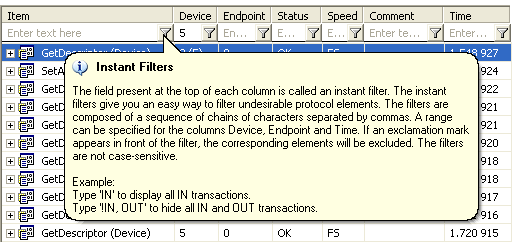
A help popup is shown after a click on filter button
This screenshot shows the help popup of the column Item. In addition to a quick explanation, the popup displays some examples of use for each column.
Next »